Lab 3: Overview
The purpose of this lab is to equip the robot with distance sensors - the faster the robot can sample and the more it can trust a sensor reading, the faster it is able to drive.
Prelab
I2C sensor address
According to the datasheet, the Time-of-Flight (ToF) sensors are assigned a default 8-bit identifier of 0x52 (0101 0010).
Using 2 ToF sensors
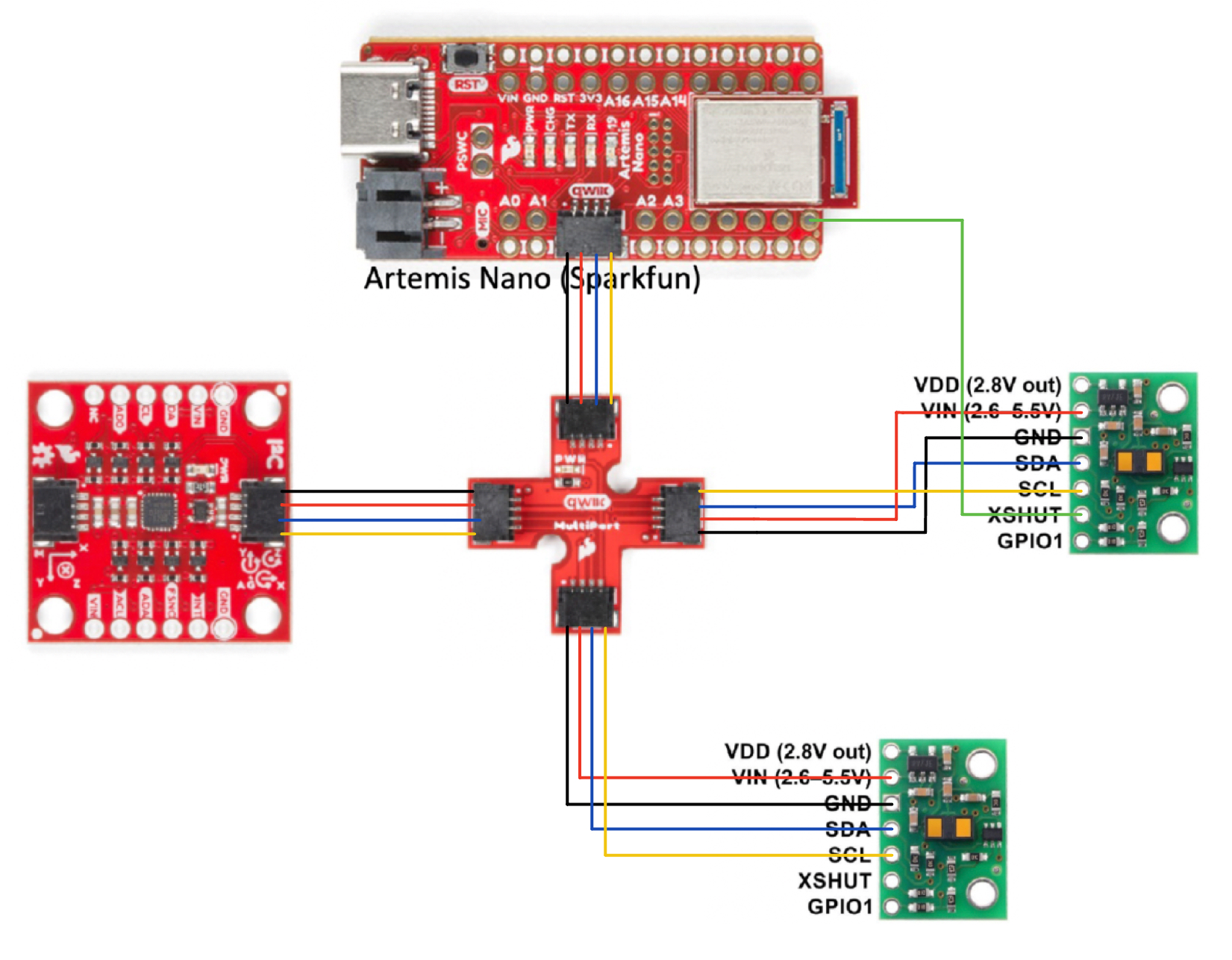
The robot utilizes two ToF sensors to provide distance readings from multiple directions. Because both sensors share the same default I2C address, they can't be used simultaneously. To resolve this, the XSHUT pin of one sensor is connected to a GPIO pin on the Arduino. This allows the microcontroller to temporarily disable one sensor, reassign the I2C address of the active one via software, and then re-enable the second sensor, enabling independent communication with both.
Placement of Sensors
The sensors are positioned at the front and right side of the robot to assist with obstacle detection. It is noted that the robot will have blind spots on the left and rear sides due to the current two-sensor limitation.
Wiring Diagram
The diagram below illustrates the integrated wiring for the IMU and the two ToF sensors.
Lab Tasks
Connection
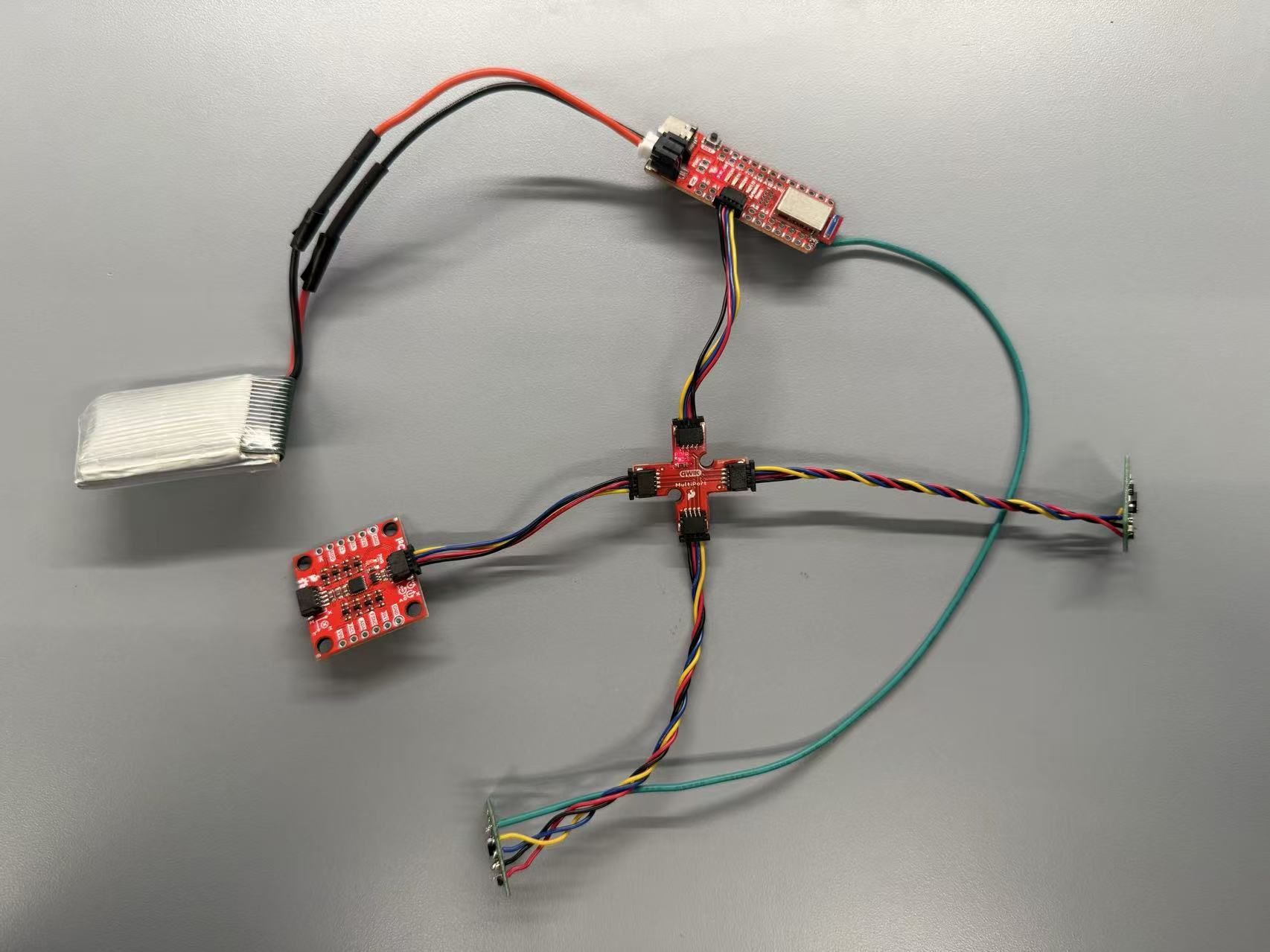
The ToF sensors are connected to the Arduino using the I2C protocol. The SDA and SCL lines are shared between the sensors, while the XSHUT pin of one sensor is connected to a GPIO pin for address management. And I tested that when the board is powered by the battery, it still can get connection with my computer through Bluetooth.
I2C Device Scanning
During initial testing, the output identified the sensors at address 0x29. This occurs because the Arduino I2C library utilizes 7-bit addressing, shifting the 8-bit value right by one bit (010 1001). The successful detection of this address confirms that the connections and communication are functioning correctly.

Sensor Data for Chosen Mode
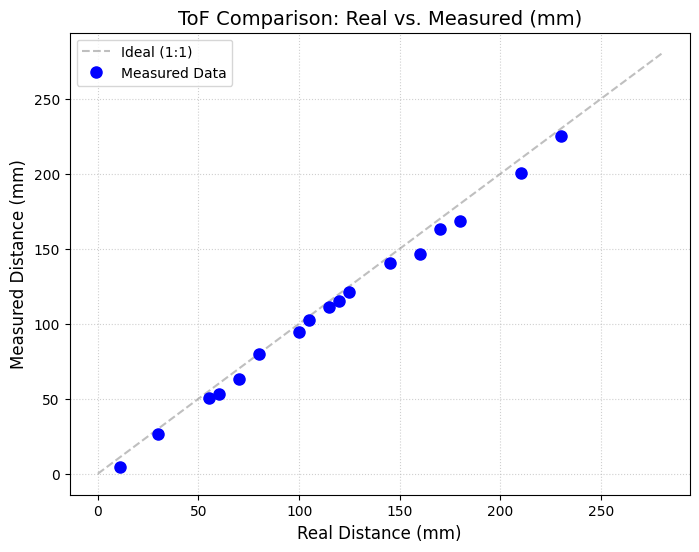
I selected Short Mode for initial distance measurements. Given the robot’s compact dimensions, Short Mode’s 1.3m detection range is sufficient for localized navigation. Furthermore, Short Mode is more stable to ambient light interference, providing higher data reliability. If future experiments involve larger environments with controlled lighting, the system can be reconfigured to Long Mode for extended real-time data collection.
I have characterized the sensor performance across various distances using this mode to establish a baseline for accuracy.
2 ToF Sensor Parallel
Using the XSHUT hardware addressing method, both ToF sensors are initialized during the setup() phase. This configuration allows for simultaneous data streaming from both sensors, which can be monitored in real-time in the Serial Monitor.
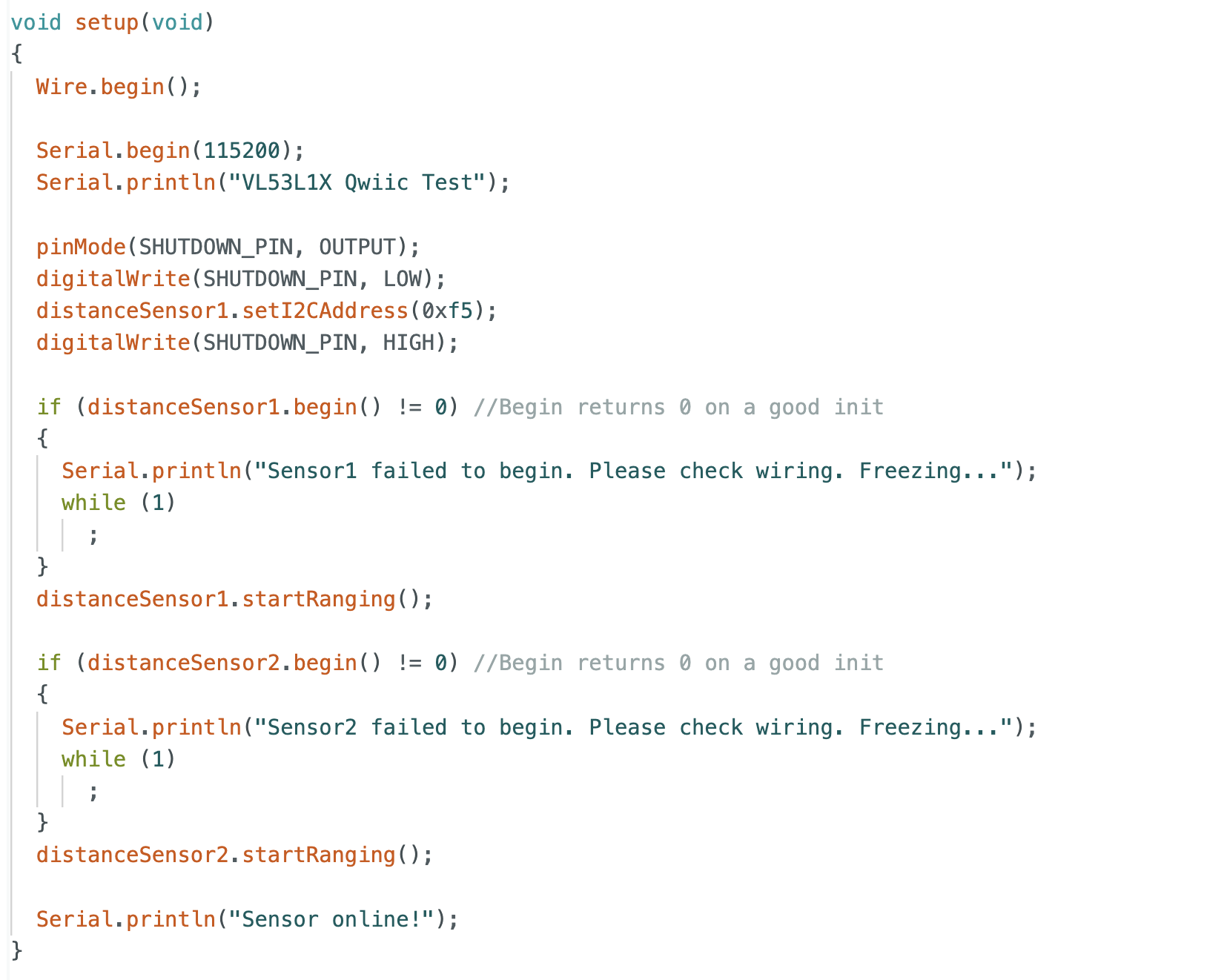
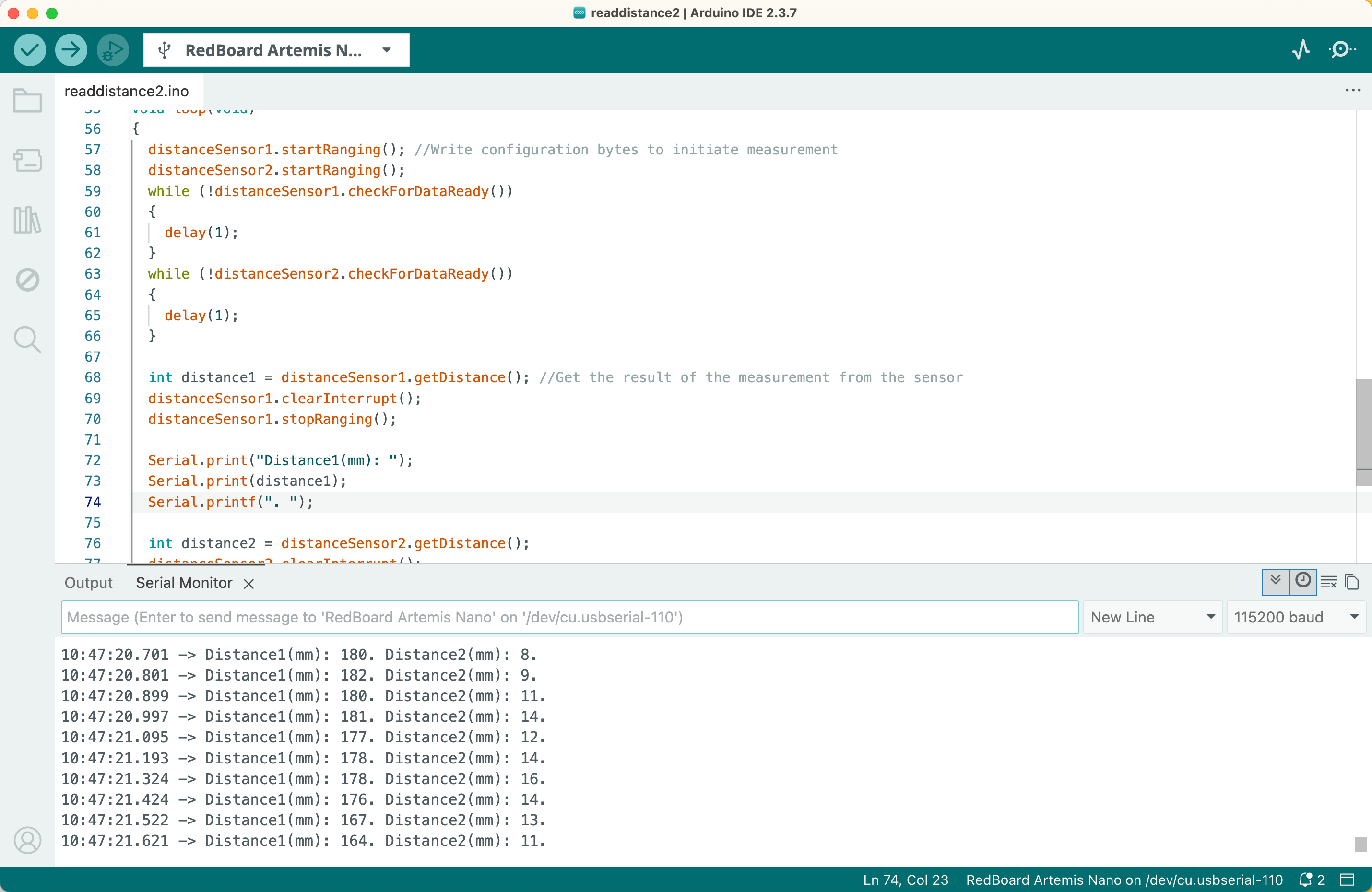
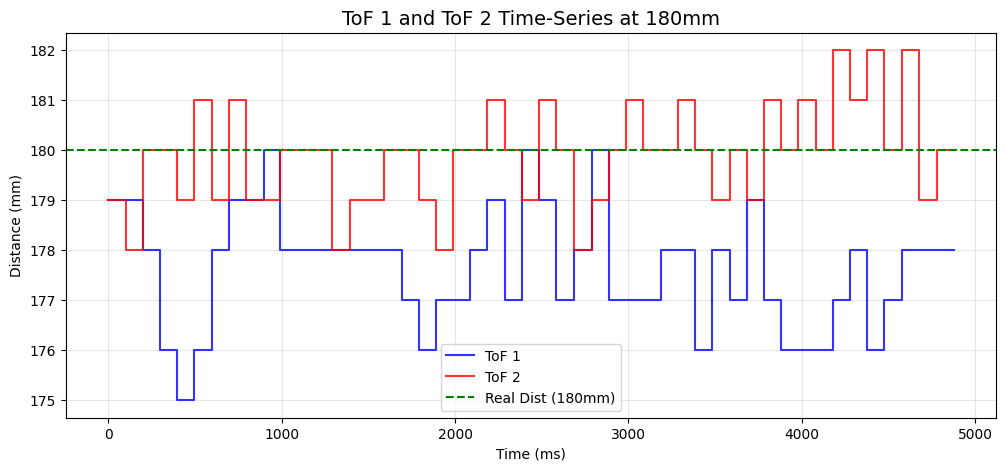
Then I conducted a test using Bluetooth communication for command transmission and data transmission. When measuring fixed distances with both sensors simultaneously, the data demonstrated high precision and consistency. This confirms that the dual-sensor setup will provide accurate feedback for the robot.
ToF Sensor Speed
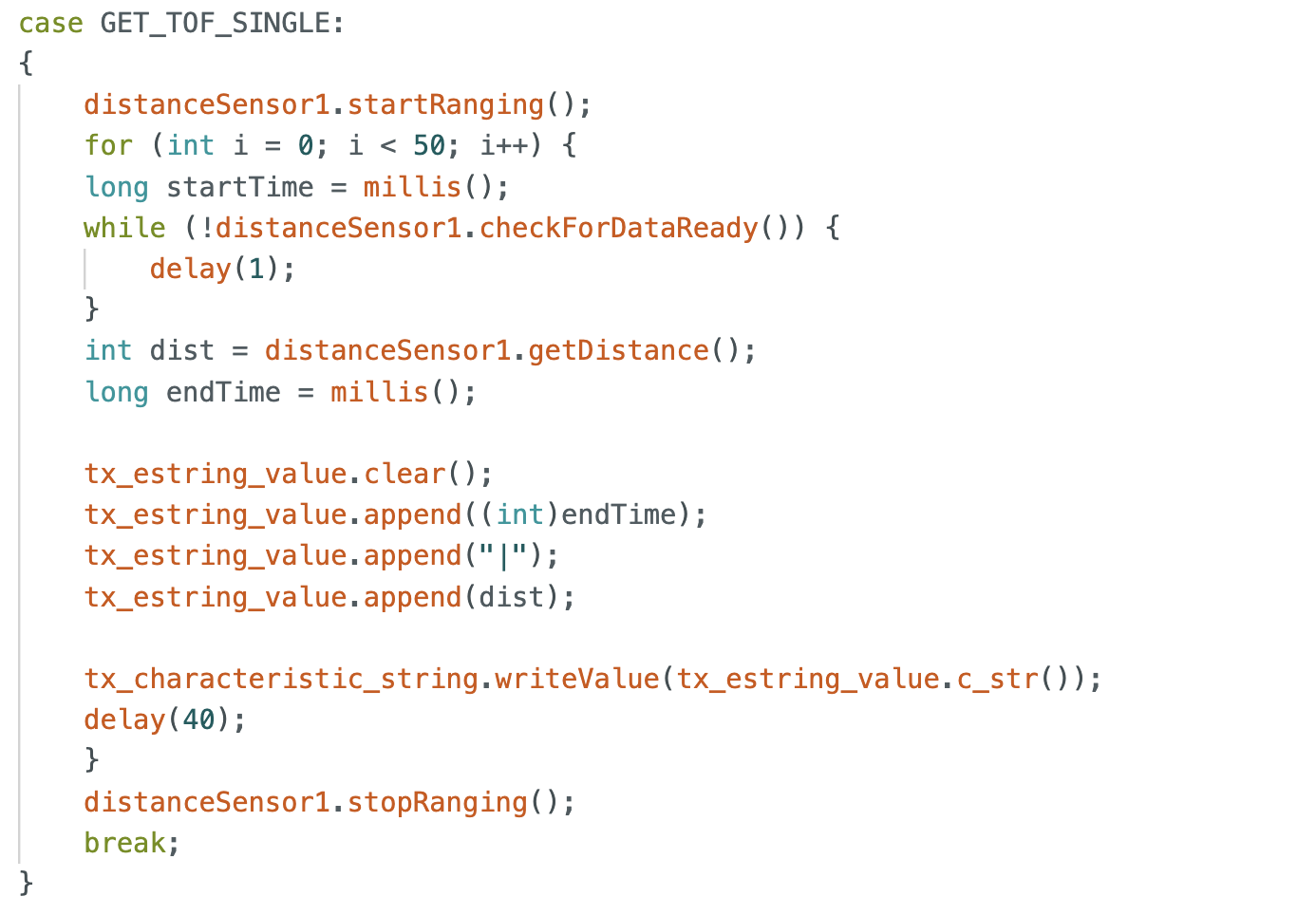
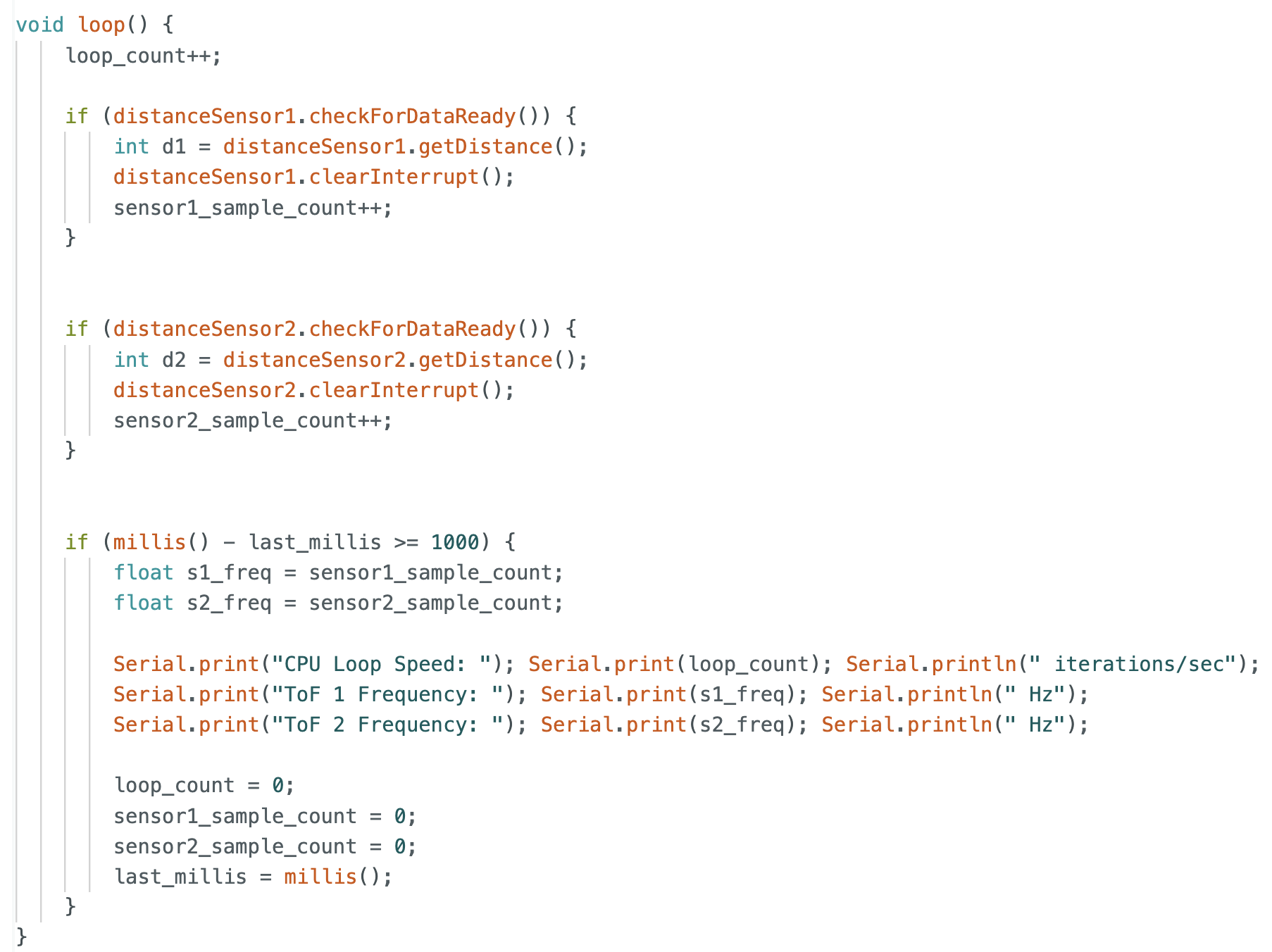
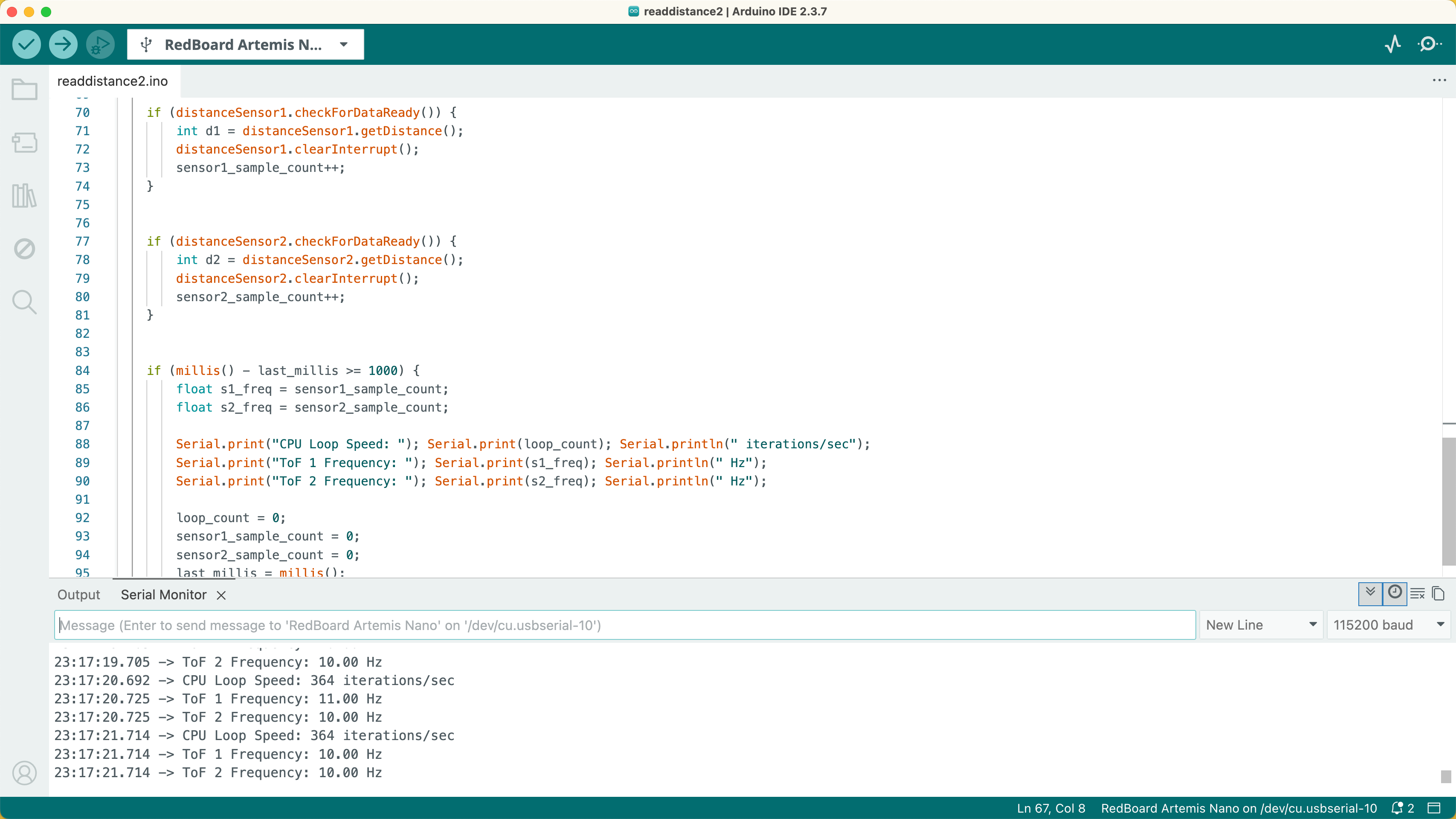
To evaluate the ToF sensor speed, I used if statements to check for new data availability. By tracking the number of successful reads within a one-second and monitoring the total loop() iterations, I determined that the effective sampling frequency is approximately 10 Hz. I think the 10 Hz frequency is primarily limited by the sensor's internal timing budget and the I2C bus overhead. While the microcontroller executes the main loop much faster, the sensor requires a specific period to maintain accuracy in detection. In the image, I presented the code part and output of the frequency of sensors.
ToF and IMU
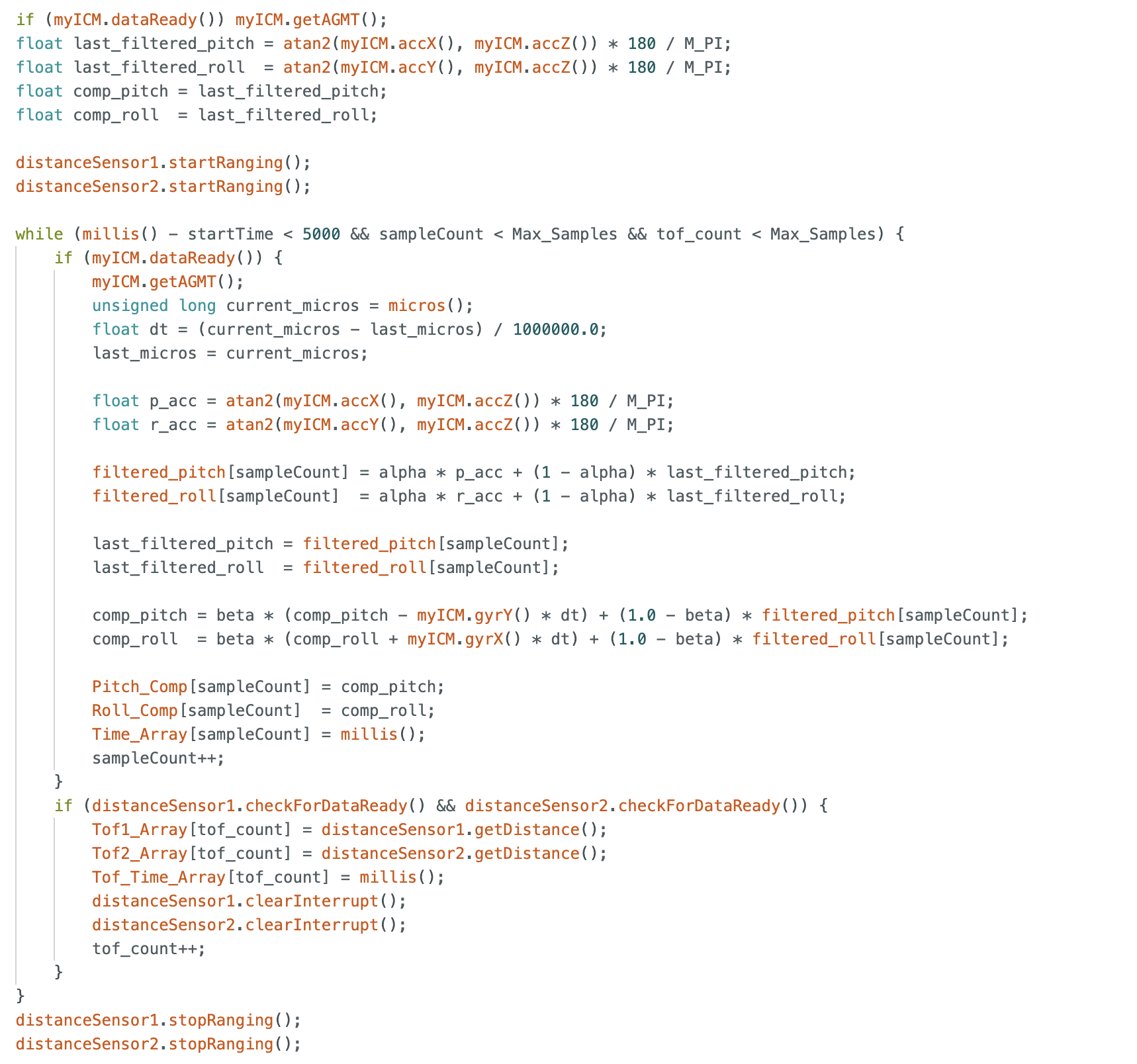
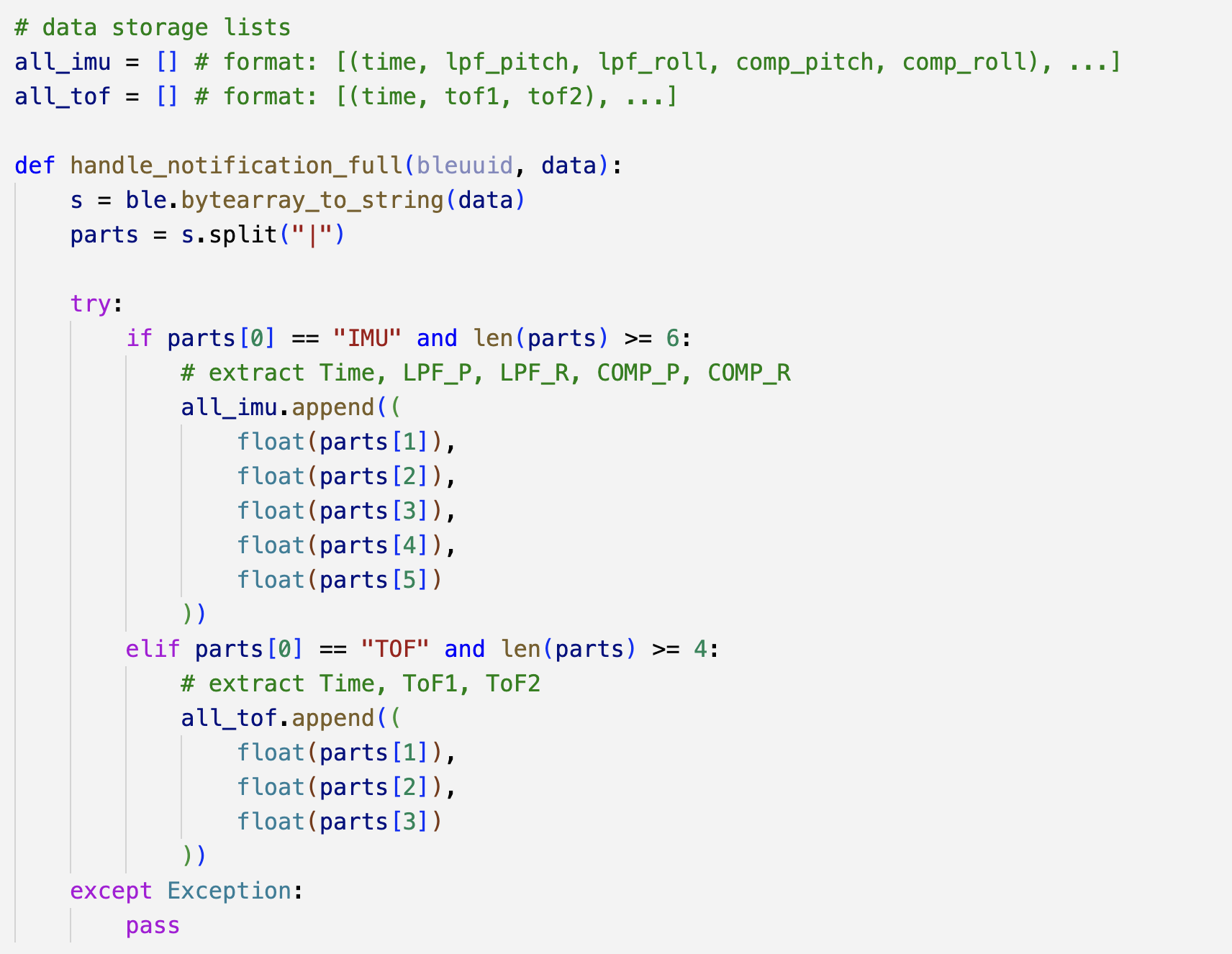
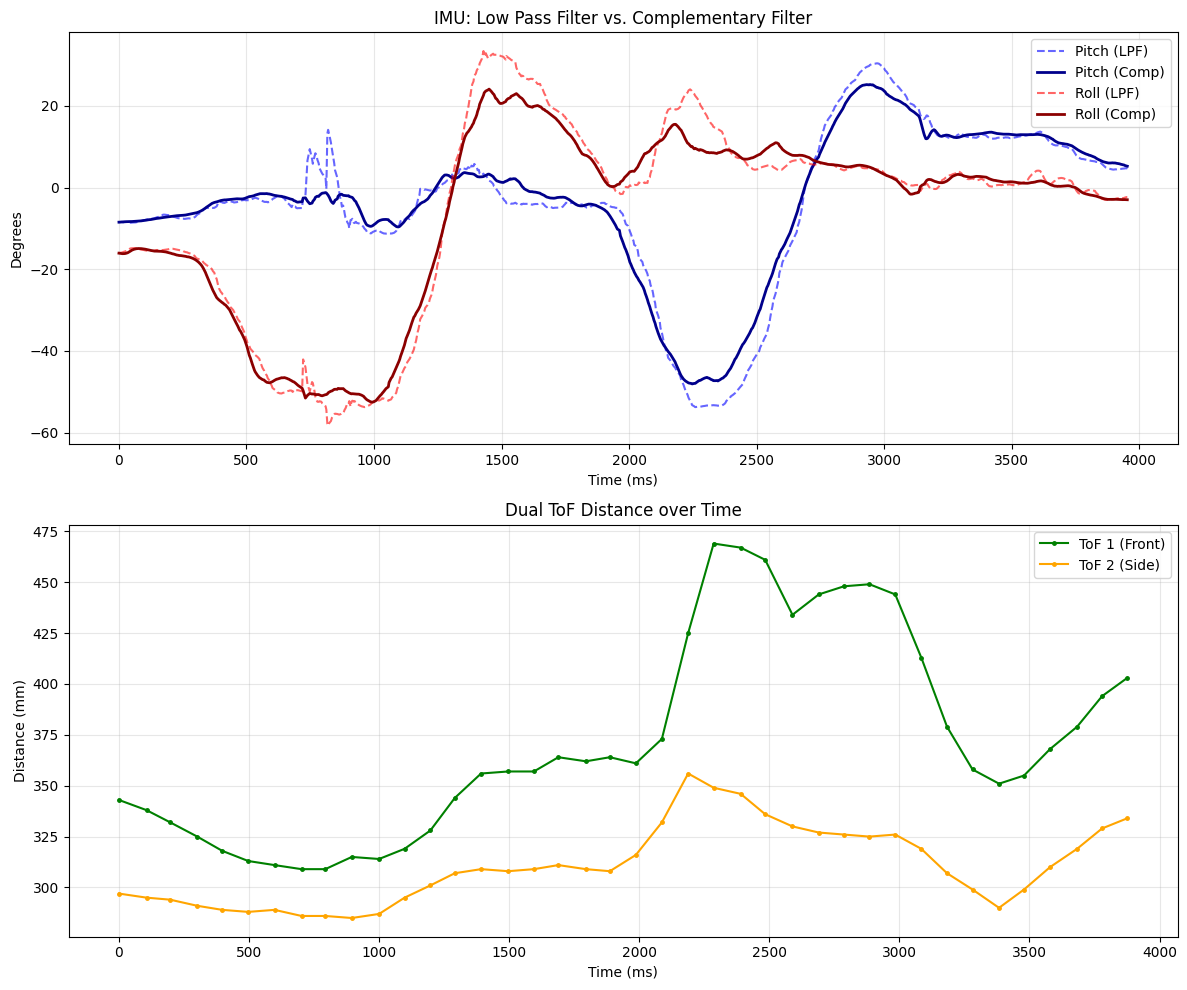
To analyze the synchronization between different sensors, I implemented a buffering strategy for data collection. In this setup, the robot records approximately 4 seconds of data from both the ToF and IMU sensors into local memory. Once the sampling period is complete, the buffered data is transmitted via Bluetooth to a Python workstation for visualization and offline analysis.
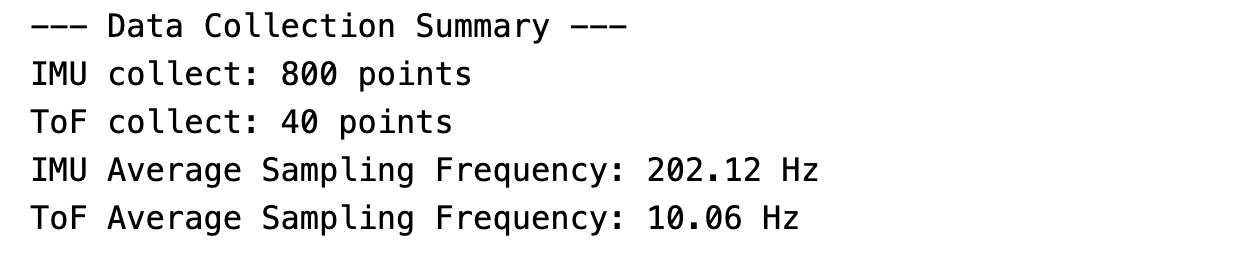
During a 4-second capture window, I recorded approximately 40 data points from the ToF sensors and 800 data points from the IMU. The experimental results and sensor speed analysis are fully consistent with our previous expectations. The established communication successfully facilitates stable data acquisition from both the ToF and IMU sensors.
Additional tasks for 5000-level
Discussion on infrared transmission based sensors
-
Amplitude-based IR Sensor
In class lecture, we mentioned Amplitude-based IR Sensor, which is very cheap and simple circuitry. They emit a burst of IR light and measure the amplitude of the light that bounces back. This sensor is very low cost and has very high sampling frequency. But the color of objective or ambient light can easily affect the accuracy, and it can't provide an absolute distance in millimeters. -
Time-of-Flight (ToF) Sensors
This measures the elapsed time it takes for individual signal to travel to the target and back. This sensor provides reliable actual millimeter distance readings and it is insensitive to texture color and ambient light. However, in my case, the sampling rate of this sensor is relatively lower than other sensors, which means that it should take timing budget to collect enough singal to get the distance.
Sensitivity of sensors to colors and textures
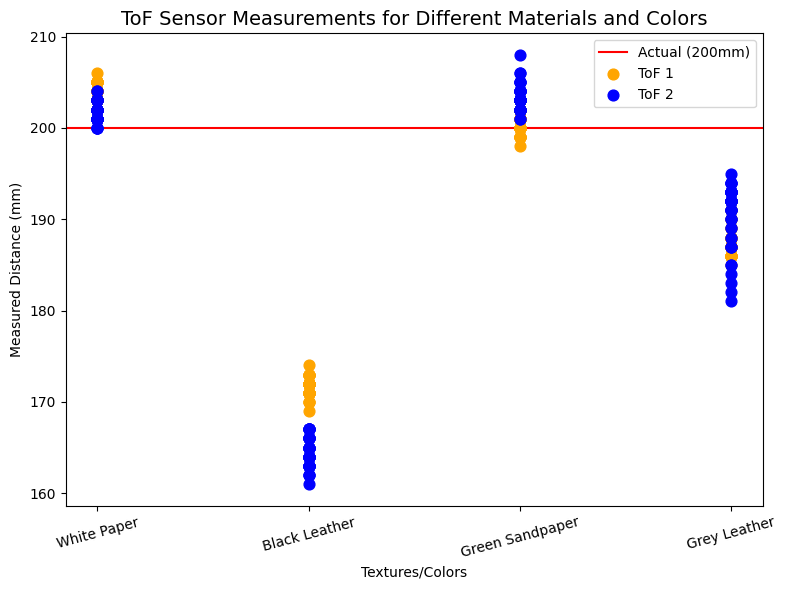
To evaluate the sensor's robustness, I measured four distinct materials at a fixed distance of 200mm. Due to potential misalignments from manual positioning, these results are treated as a qualitative reference rather than absolute calibration data. The materials tested included white paper, rough black leather, smooth grey leather, and green sandpaper. The black leather exhibited the most significant measurement error, because it absorb much of the light. Overall, the measurements remained within a predictable range, confirming that the ToF provides a reliable distance feedback.
Reference
Thanks to Professor Helbling and the TAs for their help during lab sessions. I refer to Katherine Hsu's and Wenyi Fu's websites as guidance and as references for web design. I used Nano Banana Pro to help me with generating the cover of my lab, which is shown in the home page.
Note
In the report, I did not put some code implementations of simple functions and roughly duplicate parts. If necessary, please feel free to contact me.